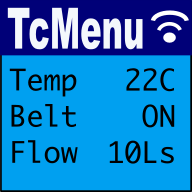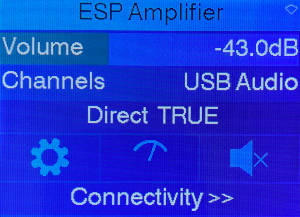
TcMenu is a modular, IoT ready multi level menu library for Arduino, mbed, Pico-SDK, mbed and many more platforms supporting many input, display and IoT / remote interfaces. It makes presenting configuration, status and operational information much easier. Apache licensed and therefore safe for commercial use.
Start by working out what information and state is to be represented in the Designer UI. Take inspiration from the Arduino menu examples. Then, run Code Generator which outputs code for the selected board ready for use in an IDE.
Embedded Menu for Arduino
Web based menu designer:
- Start web based TcMenu Turbo designer
- Documentation for Web based TcMenu Turbo
- Get help from the C++/Java/Flutter consultants who wrote tcMenu
Using Tc menu library:
- TcMenu library examples and starter projects
- Guide to working with Menu Item Types
- Code Generator and plugins guide
- EEPROM integration with menus
- Setting up IO expanders in designer
- Authentication - securing sub-menus and remote connections
- Creating and generating menus using the CLI
- MenuManager and Menu iteration Guide
- Writing a multi-language locale based menu
- Useful helper functions in tcUtil.h
- Embedded library reference documentation
- GitHub Repository - for source and releases
- Major code level differences between library versions
Desktop version of the menu designer
Menu library for vendor environments using CMake (non Arduino)
You can use PicoSDK without requiring Arduino framework at all. The opensource version of IoAbstraction supports PicoSDK directly for nearly all cases. Our direct support generally works via CMake, and the starting point for these builds is our CMake based project in the cmakeProject directory. If you're using this commercially, please contact us for commercial support.
We can support other platforms such as ESP-IDF and STM32 using this approach commercially.
Working with displays
- Working with display renderers
- Creating and using TitleWidgets and bitmaps
- Themes, properties, grids and card layout
- How to define fonts within theme configuration
- Taking over the display and dashboards
Display plugins
- DfRobot LCD shield driver
- LiquidCrystal / hd44780 display driver
- AdaFruit_GFX driver - ILI9341, ST7735, Nokia5110 etc
- AdaFruit_GFX NativeCpp/PicoSDK/mbed RTOS for OLED - SSD1306, SH1106
- U8g2 driver - for SSD1306, SH1106 etc
- SSD1306Ascii low memory driver - for SSD1306 on Uno
- TFT_eSPI driver with double buffering
- STM32 LTDC mbed frame buffer with touch
- Customising a display driver
Theme plugins
- OLED/Mono themes both bordered and inverse
- Color themes for most display sizes
- Dark themes for most display sizes
Input plugins
- Rotary encoder, buttons or joystick
- Using a matrix keyboard to control menu
- DfRobot analog pin keypad input
- Resistive touch screen menu integration
- XPT2046 and FT6206 touch screen menu integration
- Capacitive Touch-pad sensor input
Specific for Java on Raspberry PI or embedded Linux
We have tested the designer application and embedCONTROL on a Raspberry PI, so not only can you make a Raspberry PI embedded application, you can even run designer and embedCONTROL on an RPI as well! The Java API and EmbedControl libraries are fully JavaDoc commented.
- Creating an embedded Java menu application for RaspberryPI
- Display menu on JavaFX/OpenJDK on Raspberry PI
- Menu In Menu - Embed remote menus into a single app
Remotely controlling your menu / IoT
 Our menu designer can build in IoT capabilities near automatically (on Ethernet2, UipEthernet (ENC28J60), ESP8266-WiFi, ESP32-WiFi, Bluetooth and Serial). Allowing you to remotely monitor and control your device using Embed Control with minimal effort.
However, to write your own remote monitoring, use our Java Remote API, TypeScript/JavaScript API, C#/DotNet API, or the Python API. Coming soon is a Dart API.
- embedCONTROL UI documentation
- Menu library remote connectivity tutorial
- IoT monitoring and control using the Java API
- TagVal protocol documentation
IoT and Remote control plugins
- Serial driver for usb, rs232 and Bluetooth control
- Ethernet driver for Ethernet2 and Uip control
- WiFi driver for ESP32 and ESP8266 control
- Simhub connector for tcMenu using custom serial protocol
- Embedded Java plugin for ethernet/WiFi remote
- Serving up embedCONTROL in a web browser
- Device acts as client to remote server
Creating / building / modifying plugins
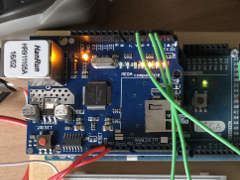
tcMenu - Java API to Arduino for remote menu control
Introduction - Java Remote control The Java API contains domain and state objects that represent the items in your application along with the current value of that item. Whether used locally or remotely you use a menu tree to represent items. Whichever way, the menu structure accurately represents the structure in designer, because the Arduino embedded menu designer uses this...
Creating and using Bitmaps and Title Widgets in your menu
As part of TcMenu we provide a utility that can create bitmaps, fonts and title widgets. It can take most common file formats as its source, and convert them to a format suitable for use in tcMenu (and many other libraries too). It can create header files for bitmaps or title widgets to either the clipboard or a file. Let's first...
Code Generator and Plugins guide
In this guide we cover code generation in more detail. Once a menu structure has been built it needs to be turned into code. To do this we use the code generator (menu: "Code -> Generate code"). Once selected a dialog similar to the one below will be presented. At this point we need to define the devices that we plan...
Using custom fonts in your menu with different libraries
In the theme plugin properties you can often select the font to use. However, there are a few points to bear in mind when using fonts. Here are the key points: Most graphical plugins (other than Uno specific) support TcUnicode, a font rendering system that has full Unicode UTF-8 support. These fonts can be easily created in the designer UI, see...
Customising input and display tcMenu plugins
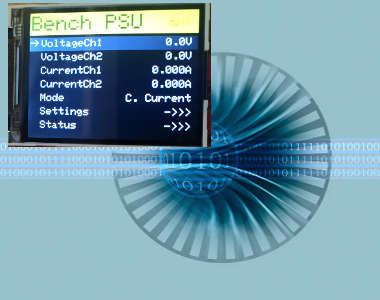
Sometimes the input or rendering capabilities of the built in plugins may suit your purposes, or your hardware may not be supported. In these cases it is possible to either write a custom renderer from scratch, or more likely generate a new in the case of a graphical device. This article assumes you are customising an input or display renderer...
Changes in graphics configurations for renderers
Like any library, we occasionally need to make changes to the way that things work, this makes the library more viable going forward, and often provides major improvements in what's possible for nearly everyone. However, sometimes we need to deprecate features so that it reduces the support burden, we do this as infrequently as possible, and try and give users long...
TcMenu - TagVal protocol documentation
Embed Control local area transmissions use a protocol called TagVal with the option of sending binary data too. TagVal is a simple and lightweight protocol that has implementations on device for Arduino and mbed, and developer APIs in Java , Javascript , Python , DotNet , and Dart is coming soon. If you are working in a language where an API...
Introduction to fluent menu builder
We've added a new fluent menu builder to the library. This builder provides a more intuitive and readable way to construct menus, making it easier for developers to create complex menu structures without requiring the many static definitions of the past. We've added this builder because on most machines with moderate sized menus, the overhead of this method is relatively low....
Working with action items - ActionMenuItems
Action menu items represent a menu item that does nothing more than run the callback when it is selected. There is no hard requirement for it to have a callback, but one without a callback would have no purpose. Type information for ActionMenuItem Class type: / in MenuItems.h Enum returned by is MENUTYPE_ACTION_VALUE This item is based on...
Working with RGB color choice items - Rgb32MenuItem
An item type that represents a color in the Red Green Blue space, optionally also having an Alpha. Colors are represented as values between 0 and 255 for each part and optionally an additional part for Alpha. Type information for Rgb32MenuItem Type: with default callback of in Enum returned by is MENUTYPE_COLOR_VALUE This item is based on RuntimeMenuItem...
These may be of interest
- Similar - Write XML with GroovyBuilder
- Similar - Wrapping JFreeChart as a Groovy builder
- Similar - Reading XML in groovy using XmlParser
- Similar - Generate an ATOM feed with GroovyBuilder
- Similar - Groovychart Bar chart with fixed colour

Supporting us
We maintain several popular embedded projects and work hard to make them even better. If you're looking for commercial services, please do consider us.
Alternatively, you can buy us a coffee to say thanks.
Sharing links
Learn about TcMenu
We build and maintain an embedded menu designer and framework that works on many platforms.