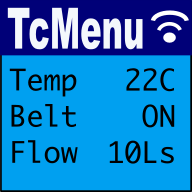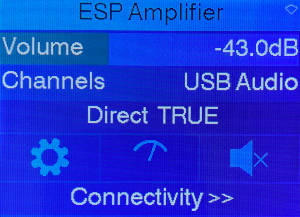
TcMenu is a modular, IoT ready multi level menu library for Arduino, mbed, Pico-SDK, mbed and many more platforms supporting many input, display and IoT / remote interfaces. It makes presenting configuration, status and operational information much easier. Apache licensed and therefore safe for commercial use.
Start by working out what information and state is to be represented in the Designer UI. Take inspiration from the Arduino menu examples. Then, run Code Generator which outputs code for the selected board ready for use in an IDE.
Embedded Menu for Arduino
Web based menu designer:
- Start web based TcMenu Turbo designer
- Documentation for Web based TcMenu Turbo
- Get help from the C++/Java/Flutter consultants who wrote tcMenu
Using Tc menu library:
- TcMenu library examples and starter projects
- Guide to working with Menu Item Types
- Code Generator and plugins guide
- EEPROM integration with menus
- Setting up IO expanders in designer
- Authentication - securing sub-menus and remote connections
- Creating and generating menus using the CLI
- MenuManager and Menu iteration Guide
- Writing a multi-language locale based menu
- Useful helper functions in tcUtil.h
- Embedded library reference documentation
- GitHub Repository - for source and releases
- Major code level differences between library versions
Desktop version of the menu designer
Menu library for vendor environments using CMake (non Arduino)
You can use PicoSDK without requiring Arduino framework at all. The opensource version of IoAbstraction supports PicoSDK directly for nearly all cases. Our direct support generally works via CMake, and the starting point for these builds is our CMake based project in the cmakeProject directory. If you're using this commercially, please contact us for commercial support.
We can support other platforms such as ESP-IDF and STM32 using this approach commercially.
Working with displays
- Working with display renderers
- Creating and using TitleWidgets and bitmaps
- Themes, properties, grids and card layout
- How to define fonts within theme configuration
- Taking over the display and dashboards
Display plugins
- DfRobot LCD shield driver
- LiquidCrystal / hd44780 display driver
- AdaFruit_GFX driver - ILI9341, ST7735, Nokia5110 etc
- AdaFruit_GFX NativeCpp/PicoSDK/mbed RTOS for OLED - SSD1306, SH1106
- U8g2 driver - for SSD1306, SH1106 etc
- SSD1306Ascii low memory driver - for SSD1306 on Uno
- TFT_eSPI driver with double buffering
- STM32 LTDC mbed frame buffer with touch
- Customising a display driver
Theme plugins
- OLED/Mono themes both bordered and inverse
- Color themes for most display sizes
- Dark themes for most display sizes
Input plugins
- Rotary encoder, buttons or joystick
- Using a matrix keyboard to control menu
- DfRobot analog pin keypad input
- Resistive touch screen menu integration
- XPT2046 and FT6206 touch screen menu integration
- Capacitive Touch-pad sensor input
Specific for Java on Raspberry PI or embedded Linux
We have tested the designer application and embedCONTROL on a Raspberry PI, so not only can you make a Raspberry PI embedded application, you can even run designer and embedCONTROL on an RPI as well! The Java API and EmbedControl libraries are fully JavaDoc commented.
- Creating an embedded Java menu application for RaspberryPI
- Display menu on JavaFX/OpenJDK on Raspberry PI
- Menu In Menu - Embed remote menus into a single app
Remotely controlling your menu / IoT
 Our menu designer can build in IoT capabilities near automatically (on Ethernet2, UipEthernet (ENC28J60), ESP8266-WiFi, ESP32-WiFi, Bluetooth and Serial). Allowing you to remotely monitor and control your device using Embed Control with minimal effort.
However, to write your own remote monitoring, use our Java Remote API, TypeScript/JavaScript API, C#/DotNet API, or the Python API. Coming soon is a Dart API.
- embedCONTROL UI documentation
- Menu library remote connectivity tutorial
- IoT monitoring and control using the Java API
- TagVal protocol documentation
IoT and Remote control plugins
- Serial driver for usb, rs232 and Bluetooth control
- Ethernet driver for Ethernet2 and Uip control
- WiFi driver for ESP32 and ESP8266 control
- Simhub connector for tcMenu using custom serial protocol
- Embedded Java plugin for ethernet/WiFi remote
- Serving up embedCONTROL in a web browser
- Device acts as client to remote server
Creating / building / modifying plugins
SimHub connector for tcMenu library
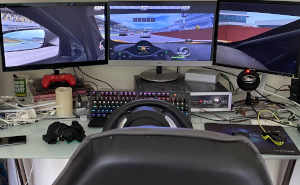
We have a remote control driver for tcMenu that can be configured to easily work with SimHub dash . It requires at least 1.5.0 of tcMenu, and a version of SimHub that supports custom serial devices . We only recommend this integration for intermediate to advanced Arduino users, it requires a greater understanding of the underlying system to set it up....
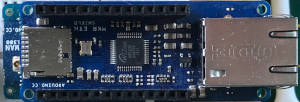
Ethernet2, UipEthernet, Stm32Ethernet remote plug-in for tcMenu library
In this guide we show how to setup and use the ethernet plugin for Ethernet2, UipEthernet, Stm32Ethernet libraries. This plug-in works with Ethernet shields and many ethernet modules available for Arduino. For a general overview on remotely controlling and monitoring see controlling embedded apps with embedCONTROL . IMPORTANT: It is your responsibility to configure and initialise the Ethernet adapter before...
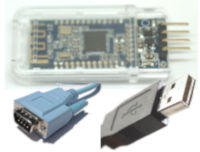
Serial remote plug-in for tcMenu library
In this guide we show how to setup and use the serial communication remote plugin for tcMenu. It is a general purpose Serial plugin that has been tested with both USBSerial and Bluetooth on a number of different devices. Serial is probably about the easiest remote to set up in terms of hardware and software. Nearly all Arduino boards have a...
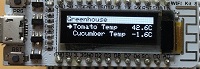
ESP8266 / ESP32 WiFi remote plug-in for tcMenu library
In this guide we show how to setup and use the ESP8266 / ESP32 Wifi remote plugin for use in the menu library. This plug-in works with most ESP boards. ESP WiFi is quite easy to set up as it's built into the device. However, when using any ESP board and ESP8266 especially you must make sure that you frequently yield...
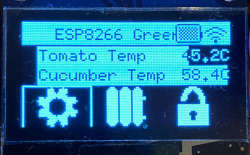
TcMenu - Using U8G2 to render menus onto an OLED
In this guide we show how to use the U8G2 library to renderer menu items to an OLED unit with tcMenu. This rendering driver for U8G2 is built into the core menu designer download, meaning it's available out of the box. The U8G2 library supports a lot of different displays, with very different capabilities. This plugin concentrates on monochrome displays, mainly...

TcMenu - Rotary encoder and switch input plugin
TcMenu base input plugin supports Rotary Encoders that are either connected directly to Arduino pins or via an I2C expander such as a PCF8574 or MCP23017. This support is provided by the IoAbstraction library that's automatically included by the menu designer UI. The only limitation for rotary encoders is that PinA must be connected to an interrupt capable pin (or if...
TcMenu - DfRobot input and display plugin
DfRobot input and display plugin make generating a menu for DfRobot shields very simple. There's no configuration needed in order to produce a menu. This plugin auto configures the display to use LiquidCrystalIO library and sets up switches to use the micro-switches connected to analog input A0. Setting up for your menu First, ensure your menu structure is saved and then...
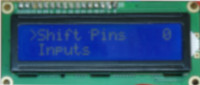
TcMenu - Rendering menus to LCD using LiquidCrystalIO library
In this guide we show how to render menu items using LiquidCrystalIO library, onto displays compatible with HD44780 (often referred to as LCD). This rendering driver is built into the core menu designer download, meaning it's available out of the box. The LiquidCrystalIO library is a fork of the LiquidCrystal library, with a few additional capabilities. Most importantly, updating HD44780...
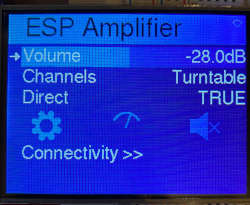
TcMenu - Using Adafruit_GFX to render menus
In this guide we show how to use the Adafruit_GFX library to renderer menu items with tcMenu. This rendering driver for Adafruit_GFX is built into the core menu designer download, meaning it's available out of the box. The Adafruit_GFX library supports a lot of different displays, with very different capabilities. Some are monochrome with an in-memory buffer; whereas others are high...
TcMenu - Using TFT_eSPI library to render menus
In this guide we show how to use the TFT_eSPI library to renderer menu items with tcMenu. This rendering driver for TFT_eSPI library is built into the core menu designer download, meaning it's available right out of the box. This plugin simply wraps the functionality that the library provides. The TFT_eSPI menu plugin supports a lot of different displays, that...
These may be of interest
- Similar - Write XML with GroovyBuilder
- Similar - Wrapping JFreeChart as a Groovy builder
- Similar - Reading XML in groovy using XmlParser
- Similar - Generate an ATOM feed with GroovyBuilder
- Similar - Groovychart Bar chart with fixed colour

Supporting us
We maintain several popular embedded projects and work hard to make them even better. If you're looking for commercial services, please do consider us.
Alternatively, you can buy us a coffee to say thanks.
Sharing links
Learn about TcMenu
We build and maintain an embedded menu designer and framework that works on many platforms.