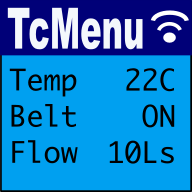
TcMenu - Rendering menus to LCD using LiquidCrystalIO library
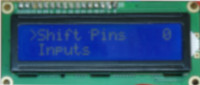
In this guide we show how to render menu items using LiquidCrystalIO library, onto displays compatible with HD44780 (often referred to as LCD). This rendering driver is built into the core menu designer download, meaning it's available out of the box. The LiquidCrystalIO library is a fork of the LiquidCrystal library, with a few additional capabilities. Most importantly, updating HD44780...
TcMenu - Using TFT_eSPI library to render menus
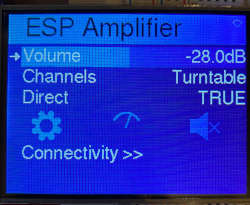
In this guide we show how to use the TFT_eSPI library to renderer menu items with tcMenu. This rendering driver for TFT_eSPI library is built into the core menu designer download, meaning it's available right out of the box. This plugin simply wraps the functionality that the library provides. The TFT_eSPI menu plugin supports a lot of different displays, that...
TcMenu - Using Adafruit_GFX to render menus
In this guide we show how to use the Adafruit_GFX library to renderer menu items with tcMenu. This rendering driver for Adafruit_GFX is built into the core menu designer download, meaning it's available out of the box. The Adafruit_GFX library supports a lot of different displays, with very different capabilities. Some are monochrome with an in-memory buffer; whereas others are high...
tcMenu - Java API to Arduino for remote menu control
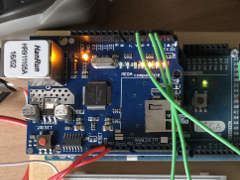
Introduction - Java Remote control The Java API contains domain and state objects that represent the items in your application along with the current value of that item. Whether used locally or remotely you use a menu tree to represent items. Whichever way, the menu structure accurately represents the structure in designer, because the Arduino embedded menu designer uses this...
Creating and using Bitmaps and Title Widgets in your menu
As part of TcMenu we provide a utility that can create bitmaps, fonts and title widgets. It can take most common file formats as its source, and convert them to a format suitable for use in tcMenu (and many other libraries too). It can create header files for bitmaps or title widgets to either the clipboard or a file. Let's first...

TcUnicode Font format documentation
TcUnicode is a font format suitable for the presentation of a larger number of glyphs from different Unicode blocks. On most boards the size difference to Adafruit fonts is relatively insignificant. The advantage being that you can have fonts with glyphs from multiple unicode blocks efficiently. TcUnicode rendering is also compatible with Adafruit fonts, so you can use both and...
Text pipelines for drawing with tcUnicode
TcUnicodeHelper uses a text pipeline to draw onto the display. Text pipelines are how it supports so many library options, it is an interface that must be implemented in order for tcUnicode to be able to draw onto a device. It has the minimum set of functions for drawing text. Method drawPixel - takes the x and y location we want...
Embed Control developer version for controlling and monitoring Arduino
There are two versions of Embed Control desktop UI, the first is built into TcMenu Designer and is aimed at developers and more advanced users that fully understand the menu tree, and may want to create customize views. Gradually, we're moving toward App Store deployment for most platforms. TcMenu Designer runs on most desktop systems and can monitor and control embedded...

Control embedded menu application from browser - embedCONTROL.js
Instead of the desktop version, on Raspberry PIs you can serve a React.JS based single page web application that needs no installation. It works on a wide range of mobile phones, desktop and tablet devices. It is not supported in the Arduino or mbed environment directly at the moment. Using the deployed app To open the app, simply browse to the...
Code Generator and Plugins guide
In this guide we cover code generation in more detail. Once a menu structure has been built it needs to be turned into code. To do this we use the code generator (menu: "Code -> Generate code"). Once selected a dialog similar to the one below will be presented. At this point we need to define the devices that we plan...
These may be of interest
- Similar - Belt clamps - what a find!
- Similar - Hand-built router table for the workshop
- Similar - Things learnt from building the first turntable.
- Similar - HI-FI Collective cable kit 6
- Similar - Orbit, a high performance DIY turntable.

Supporting us
We maintain several popular embedded projects and work hard to make them even better. If you're looking for commercial services, please do consider us.
Alternatively, you can buy us a coffee to say thanks.
Sharing links
Learn about TcMenu
We build and maintain an embedded menu designer and framework that works on many platforms.