All library - Cross platform build support
Moved, see [arduino-libraries.md] for the list.
IoAbstraction - Cross platform build support
General Arduino On all devices we try to configure the device to the highest precision possible, and provide read and write methods based on float values between 0 and 1. Notes for mbed For mbed we support mbed V5 and V6 Bare-Metal and RTOS. Pins are managed using the underlying gpio methods. Interrupts are managed using . Analog input PWM output,...
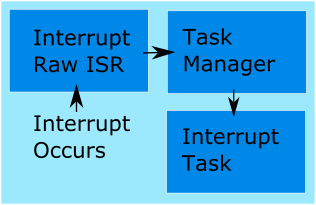
Marshalling interrupts into TaskManagerIO tasks
Interrupt handling is generally an advanced topic, but this library provides a very simple way to handle interrupts. There are two ways to handle interrupts in TaskManagerIO, the first is by marshalling, and the second is by writing an event. We recommend that all new code uses the event method to handle interrupts , although we have no plans to deprecate...
Using Arduino Pins and Io Expanders at the same time
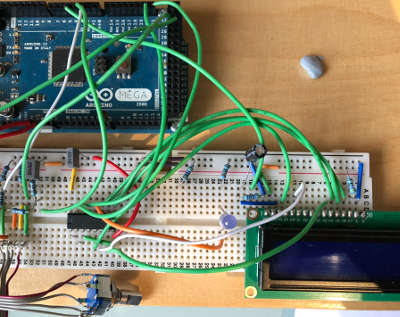
Sometimes there is a need for more IO than can be catered for using an single set of pins, even on the MEGA, or maybe you just want to combine Arduino pins with some pins on an PCF8574 IO expander chip. In this case IoAbstraction now supports that, you create an abstraction of type . See the sketch that has Arduino...
Designing menu layouts using web designer
From the tab in the header, you can visually create your embedded menu in the web editor interface. From here you can adjust the menu structure, add menu items, sub-menus, and configure their properties. Any items you add will be inserted in the currently selected sub-menu. Just as with desktop designer, copy and paste works too. In addition to adding...
Menu Code generation for Arduino, PicoSDK, mbed
TcMenu supports a wide range of displays, input devices, and remote control options. To support such a range of hardware, a plugin system is required. Once you're menu is edited and ready, select from the page header to open the generator page. We'll discuss the page below. Each part of this page is discussed in detail below. Configuring the board...
Our extensions to Adafruit_GFX for better performance
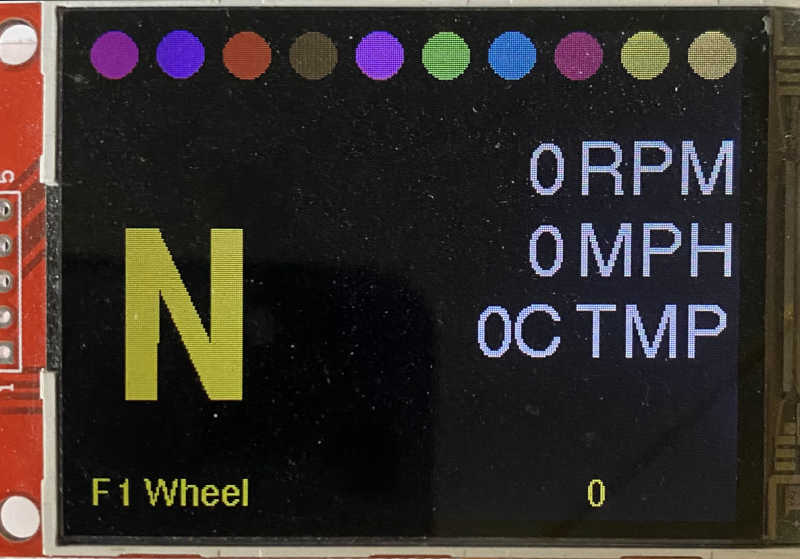
We provide a few extensions to Adafruit_GFX that improve performance by buffering the display and therefore preventing flickering and repeated operations on the same display area. Canvas support In addition to the standard Adafruit_GFX library that provides a monochrome canvas, we provide a 2bpp (bit per pixel) and 4bpp canvas class that allows you to draw to a buffer in memory...
GxEPD2 eInk display plugin for tcMenu
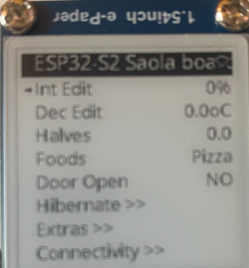
In this guide we discuss the GxEPD2 eInk display plugin for tcMenu, showing how to use and configure it for menu use. From an API/interface perspective, GxEPD2 is roughly equivalent to Adafruit_GFX, but with some additional features and optimizations for eInk displays. You'll need to install the GxEPD2 library from the Arduino library manager before you can use it with tcMenu....
Connect to a remote server plug-in for tcMenu library
In this guide we show how to setup and use the remote server communication plugin for tcMenu. This plugin allows you to reverse the normal connection direction, and have the API side be a server accepting connections from devices. You simply configure the address and port that the connector should connect with, and ensure there is an API listening at the...
Touch screen menu calibration
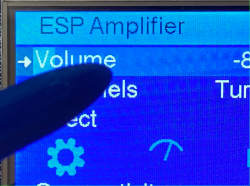
There are several touch plugins in TcMenu and they all have support for controlling calibration and orientation. The calibration UI is presently at preview quality although works for many cases. Below is an image showing the common options to most touch plugins. Touch screen calibration The touch screen calibration option provides a very simple UI and calibration load and save feature...
These may be of interest
- Similar - Belt clamps - what a find!
- Similar - Hand-built router table for the workshop
- Similar - Things learnt from building the first turntable.
- Similar - HI-FI Collective cable kit 6
- Similar - Orbit, a high performance DIY turntable.

Supporting us
We maintain several popular embedded projects and work hard to make them even better. If you're looking for commercial services, please do consider us.
Alternatively, you can buy us a coffee to say thanks.
Sharing links
Learn about TcMenu
We build and maintain an embedded menu designer and framework that works on many platforms.