TcMenu - Touch pad sensor input plugin
Requirements Current support: ESP32 touch sensor hardware. Touch-pad sensor summary Touch-pad sensors check for button presses without an actual switch, instead the rely on a change in capacitance when the user touches an area (usually a small metal plate around the size of a finger. Given that this procedure is quite complex, it usually requires hardware support for such inputs, so...
TcMenu - Resistive touch screen input plugin
TcMenu resistive touch screen input plugin supports four wire resistive touch devices that are often fitted in front of color TFT displays. This plugin requires two ADC analog inputs, but note that all pins must be output capable. The connectors are often referred to as X+, X-, Y+ and Y-. In all cases X- and Y+ must be connected to ADC...
Using the Adafruit_GFX fork for STM32Cube, PicoSDK and mbed
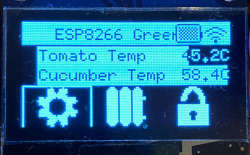
In this guide we show how to use our Adafruit_GFX port for STM32Cube/PicoSDK/mbed to renderer menu items with tcMenu. This rendering driver for Adafruit_GFX is built into the core menu designer, meaning it's available out of the box when either mbed, PicoSDK or STM32Cube are selected. This fork of Adafruit_GFX library supports the following displays. OLED: SSD1306/SH1106 monochrome displays with...
SimHub connector for tcMenu library
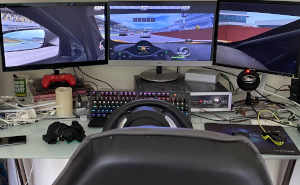
We have a remote control driver for tcMenu that can be configured to easily work with SimHub dash . It requires at least 1.5.0 of tcMenu, and a version of SimHub that supports custom serial devices . We only recommend this integration for intermediate to advanced Arduino users, it requires a greater understanding of the underlying system to set it up....
Ethernet2, UipEthernet, Stm32Ethernet remote plug-in for tcMenu library
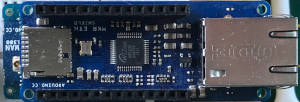
In this guide we show how to setup and use the ethernet plugin for Ethernet2, UipEthernet, Stm32Ethernet libraries. This plug-in works with Ethernet shields and many ethernet modules available for Arduino. For a general overview on remotely controlling and monitoring see controlling embedded apps with embedCONTROL . IMPORTANT: It is your responsibility to configure and initialise the Ethernet adapter before...
ESP8266 / ESP32 WiFi remote plug-in for tcMenu library
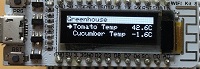
In this guide we show how to setup and use the ESP8266 / ESP32 Wifi remote plugin for use in the menu library. This plug-in works with most ESP boards. ESP WiFi is quite easy to set up as it's built into the device. However, when using any ESP board and ESP8266 especially you must make sure that you frequently yield...
Serial remote plug-in for tcMenu library
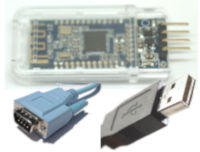
In this guide we show how to setup and use the serial communication remote plugin for tcMenu. It is a general purpose Serial plugin that has been tested with both USBSerial and Bluetooth on a number of different devices. Serial is probably about the easiest remote to set up in terms of hardware and software. Nearly all Arduino boards have a...
TcMenu - Using U8G2 to render menus onto an OLED
In this guide we show how to use the U8G2 library to renderer menu items to an OLED unit with tcMenu. This rendering driver for U8G2 is built into the core menu designer download, meaning it's available out of the box. The U8G2 library supports a lot of different displays, with very different capabilities. This plugin concentrates on monochrome displays, mainly...
TcMenu - Rotary encoder and switch input plugin
TcMenu base input plugin supports Rotary Encoders that are either connected directly to Arduino pins or via an I2C expander such as a PCF8574 or MCP23017. This support is provided by the IoAbstraction library that's automatically included by the menu designer UI. The only limitation for rotary encoders is that PinA must be connected to an interrupt capable pin (or if...
TcMenu - DfRobot input and display plugin
DfRobot input and display plugin make generating a menu for DfRobot shields very simple. There's no configuration needed in order to produce a menu. This plugin auto configures the display to use LiquidCrystalIO library and sets up switches to use the micro-switches connected to analog input A0. Setting up for your menu First, ensure your menu structure is saved and then...
These may be of interest
- Similar - Belt clamps - what a find!
- Similar - Hand-built router table for the workshop
- Similar - Things learnt from building the first turntable.
- Similar - HI-FI Collective cable kit 6
- Similar - Orbit, a high performance DIY turntable.

Supporting us
We maintain several popular embedded projects and work hard to make them even better. If you're looking for commercial services, please do consider us.
Alternatively, you can buy us a coffee to say thanks.
Sharing links
Learn about TcMenu
We build and maintain an embedded menu designer and framework that works on many platforms.