Menu control using a matrix keyboard
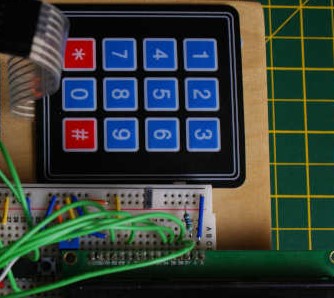
Using a matrix keyboard with TcMenu is straightforward, we use the IoAbstraction Keyboard Manager component to handle the keyboard, along with a custom listener for tcMenu that feeds the menu manager with appropriate events upon key presses. This library allows you to connect your keyboard either using Arduino pins, or any supported IoAbstraction such as the I2C PCF8574 or MCP23017....
Rotary encoder with non-polling (interrupt based) switches from PCF8574
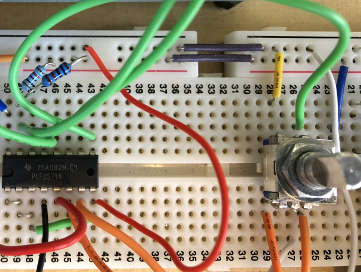
IoAbstraction has full support for interrupts on most devices, meaning we can connect a Rotary Encoder to an Arduino using a standard PCF8574 IO expander chip. In order to do this we need the PCF8574 /INT line to be connected to an Arduino pin that supports interrupts (such as pins 2 or 3). Further, you can also have handle push...
TcMenu Designer UI - worked example
Worked example: Building a timer For this example we will create a menu that has two top level menu items; a counter which counts down from the selected value, and a Boolean switch that turns on or off the countdown. It will also have a submenu with one menu item to control the notification method. So lets draw this out conceptually...
Using menu designer to fully manage your menu structure
This is the traditional way of using tcMenu, where you allow the menu designer to manage your menu structure and round-trip every time new menu items were added. This means that you had to run through designer every time you added a new menu item, which divided opinion, some liked it; others thought that it was a painful process. With the...
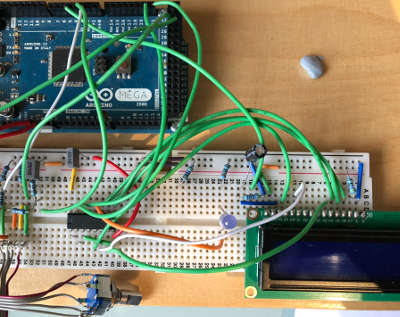
MPR121 I2C Touch/IoExpander/LED controller - Arduino and mbed
IO Abstraction library fully supports the MPR121 12-bit Touch control and IO expander chips on Arduino and mbed. It requires only two pins (three for interrupt mode) SDA, SCL, and optionally INT. Our driver integrates the Touch, GPIO, LED controller, and interrupt support providing nearly all functions using familiar Arduino terminology. This device can even be used in conjunction with an...
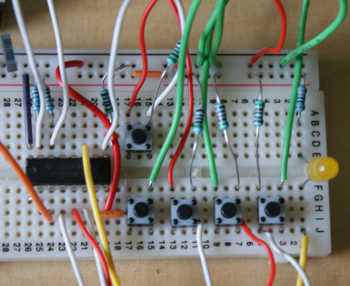
MCP23017 I2C IoExpander for Arduino and mbed
IO Abstraction library fully supports the MCP23017 16-bit IO expander chips on Arduino and mbed. It requires only two pins (three for interrupt mode) SDA, SCL, and optionally INT. Our driver provides nearly all functionality using similar terminology to Arduino itself. The MCP23017 provides 16 additional input or output ports, they have very similar capabilities to device pins and interrupt support...
AW9523 I2C IoExpander with LED controller - Arduino and mbed
IO Abstraction library fully supports the AW9523 16-bit IO expander chips on Arduino and mbed. It requires only two pins (three for interrupt mode) SDA, SCL, and optionally INT. Our driver integrates the GPIO, LED controller, and interrupt support providing nearly all functions using familiar Arduino terminology. This device can even be used in conjunction with an AW9523 analog device ...
PCF8574 / PCF8575 I2C IoExpander for Arduino and mbed
IO Abstraction library fully supports the PCF8574 8-bit and PCF8575 16-bit IO expander chips on Arduino and mbed. It requires only two pins (three for interrupt mode) SDA, SCL, and optionally INT. Our driver integrates the interrupt support for you so you can attach interrupts very easily. The PCF8574 provides 8 additional input or output ports, but there are few limitations...

LiquidCystalIO with MCP32017 I2C or any other arrangement
You can connect up a device using just about any arrangement of pins or expander, at the end of the day any device supported by IoAbstraction, including MultiIo (pins and IoExpander mix) can be used here. Examples showing these use cases MCP23017 LiquidCrystal example Shift register 74HC595 LiquidCrystal Back to the main page
IoAbstraction: Using a matrix keyboard / keypad
Matrix keyboards are arranged such that the keys are in a matrix of rows and columns. This means that instead of needing a spare input for each key, one INPUT for each column and one OUTPUT for each row is all that's needed. In order to use the keyboard, we create a class of type and configure it with an...
These may be of interest
- Similar - Belt clamps - what a find!
- Similar - Hand-built router table for the workshop
- Similar - Things learnt from building the first turntable.
- Similar - HI-FI Collective cable kit 6
- Similar - Orbit, a high performance DIY turntable.

Supporting us
We maintain several popular embedded projects and work hard to make them even better. If you're looking for commercial services, please do consider us.
Alternatively, you can buy us a coffee to say thanks.
Sharing links
Learn about TcMenu
We build and maintain an embedded menu designer and framework that works on many platforms.