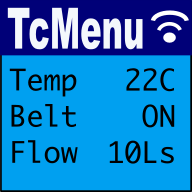
This is the traditional way of using tcMenu, where you allow the menu designer to manage your menu structure and round-trip every time new menu items were added. This means that you had to run through designer every time you added a new menu item, which divided opinion, some liked it; others thought that it was a painful process.
With the web version you have the choice of using the round-trip mode described here, or you can now use the embedded menu designer as an initializer instead. Round trip mode will only work in Chrome or Edge, it is not supported in Firefox or Safari.
Pros and cons
Pros
- Designer manages the menu structure, there is no manual code editing
- The structure is static, meaning far less runtime allocation during setup.
- On AVR and Harvard architectures it is possible to use PROGMEM to store the menu static.
- I18N support is built-in, there's no need for the python script to update header files.
Cons
- Every change in menu items requires a round-trip to the designer.
- The code for the menus is outside your control (stored in project files).
- If you need to look at the static code (rare), it is opaque.
Open a project in round-trip mode
To start with this mode, go to Menu Edit from the page header and you'll see a button labelled "Open Local Project Directory (round trip)". This will present you with a file browser to select the directory where your project is located. Once you have selected the directory, the menu designer UI will open it and you can start editing your menu structure.
Once you've opened the project, the browser will remember that you gave permission to that directory. This extra permission allows the menu designer to both read and write files in that directory. That means we can apply the changes after code generation back to the local project directory.
If I18N support is enabled, the menu designer will automatically update the header files with the new translations during code generation. Designer will also read the translations from the main source properties file and present them instead of the property key in the UI.
You can read more about enabling multi-language menu support.
Editing the
These may be of interest
- Similar - Embed Control developer version for controlling and monitoring Arduino
- Similar - Control embedded menu application from browser - embedCONTROL.js
- Similar - Using menu designer as an embedded initializer
- Similar - Designing menu layouts using web designer
- Similar - Menu Code generation for Arduino, PicoSDK, mbed

Want to let us know about something?
- If this is a library documentation page, raise a PR on the documentation site.
- Open a discussion on the Community channels
- Contact us for problems or improvements on the main site.
Table of contents
Supporting us
We maintain several popular embedded projects and work hard to make them even better. If you're looking for commercial services, please do consider us.
Alternatively, you can buy us a coffee to say thanks.
Sharing links
Learn about TcMenu
We build and maintain an embedded menu designer and framework that works on many platforms.