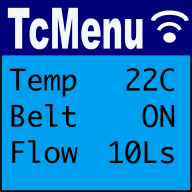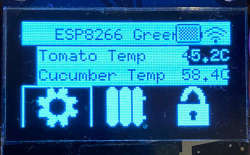
The Native C++ fork of Adafruit GFX includes direct framebuffer rendering support designed for high-performance displays on microcontrollers such as STM32 with LTDC (LCD-TFT Display Controller) or custom memory-mapped display buffers. This architecture delivers efficient graphics rendering while retaining full compatibility with the standard Adafruit GFX drawing interface.
Overview: How Framebuffer Support Works
Unlike traditional display drivers that transmit graphical primitives or dirty regions over serial buses (SPI or I2C), framebuffer support operates directly on a memory-mapped RAM buffer:
- Direct Memory-Mapped Drawing: The driver maps Adafruit GFX drawing primitives straight into a contiguous memory block (SRAM or external SDRAM) assigned to the display.
- Hardware Scanout Integration: On platforms like STM32 with LTDC, the display controller scans pixels continuously from memory via DMA/LTDC hardware without CPU intervention.
- High Efficiency & Low Latency: Eliminates serial transmission bottlenecks and enables instant screen updates or smooth double-buffering workflows.
Key Features
- Hardware-Accelerated Framebuffers (STM32 LTDC): Built-in support for STM32Cube LTDC memory setups, allowing seamless connection between hardware display layers and GFX primitives.
- Generic Memory Buffers: Easily configured with custom width, height, and target memory addresses for specialized or custom framebuffer configurations.
- tcUnicode UTF-8 Font Support: Fully integrated with tcUnicodeHelper for rendering rich Unicode/UTF-8 multilingual typography alongside legacy 7-bit ASCII Adafruit fonts.
- Native C++ & Multi-Platform Compatibility: Builds natively on STM32Cube, PicoSDK, ESP32-IDF, and mbed RTOS without relying on the Arduino runtime.
- Zero-Copy Performance: Allows in-place pixel manipulation and full control over display buffer memory addresses.
Compatibility with the Original Adafruit GFX API
The library serves as a drop-in migration path for existing Adafruit GFX codebases:
- Complete Primitive Support: All core drawing functions (
drawPixel,drawLine,fillRect,drawRect,drawCircle,drawTriangle, etc.) work as expected. - Standard
PrintAPI Compatibility: Implements standard text formatting and output methods (print(),println()) identical to the original library. - Drop-in Migration: Existing drawing routines written for standard Adafruit displays can be reused directly by rebinding the target graphics instance to the framebuffer object.
- Coordinates & Rotation: Retains the familiar rotation semantics and coordinate systems used throughout the Adafruit GFX ecosystem.
Getting Started
Direct Dependencies
To use this library in your native C++ or CMake-based project, include the following dependencies:
https://github.com/TcMenu/TaskManagerIO
https://github.com/TcMenu/tcUnicodeHelper
https://github.com/TcMenu/IoAbstraction
https://github.com/TcMenu/SimpleCollections
https://github.com/TcMenu/TcMenuLog
https://github.com/TcMenu/Adafruit-GFX-mbed-fork
Basic Initialization Concept
// Example: Creating a framebuffer instance pointing to LTDC display memory
// Framebuffer requires dimensions and the pointer to memory-mapped display RAM
uint16_t* displayBuffer = (uint16_t*)LTDC_FRAMEBUFFER_ADDRESS;
Adafruit_Framebuffer gfx(DISPLAY_WIDTH, DISPLAY_HEIGHT, displayBuffer);

void initDisplay() {
    gfx.begin();
    gfx.fillScreen(0x0000); // Clear buffer (black)
    gfx.setTextColor(0xFFFF); // White text
    gfx.println("Hello Framebuffer!");
}
Related Documentation
These may be of interest
- Similar - Getting started with the web menu designer
- Similar - Using menu designer as an embedded initializer
- Similar - Using menu designer to fully manage your menu structure
- Similar - Menu Code generation for Arduino, PicoSDK, mbed
- Similar - Designing menu layouts using web designer

Want to let us know about something?
- If this is a library documentation page, raise a PR on the documentation site.
- Open a discussion on the Community channels
- Contact us for problems or improvements on the main site.
Table of contents
Supporting us
We maintain several popular embedded projects and work hard to make them even better. If you're looking for commercial services, please do consider us.
Alternatively, you can buy us a coffee to say thanks.
Sharing links
Learn about TcMenu
We build and maintain an embedded menu designer and framework that works on many platforms.