TheCodersCorner.com items tagged with embedded-menu.
Getting started with the web menu designer
Summary Our web-based menu designer (TcMenu Turbo) creates and maintains your embedded menu project online. This guide assumes initializer mode . In initializer mode you set up the basic menu structure, choose and configure plugins for your hardware, then run code generator. Using initializer, all plugin code and wiring will be generated into the and files. You menu structure...
TcMenu - Overview and quick start
Menu library and designer for Arduino and mbed TcMenu is a modular, IoT ready multi-level menu library for Arduino and mbed supporting many input, display and IoT / remote interfaces. It makes presenting configuration, status and operational information much easier. First, you design your menu structure using the designer UI, then using the code generator you convert your menu structure into...
Using menu designer as an embedded initializer
You can choose to use tcMenu embedded menu designer as an initializer. This means that you can add new menu items without having to rebuild your project. This makes it much easier to use tcMenu. In the initializer case, the intended workflow is to create a project that works with a given display driver and input configuration and then manage the...
Multi language locale based menu for Arduino and mbed
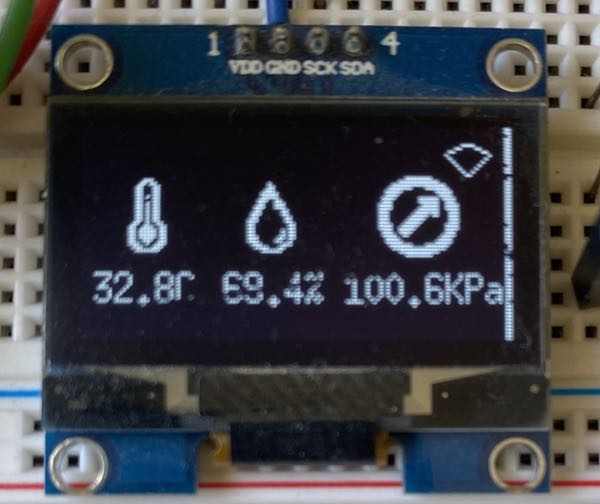
Your embedded menu project can use Java-style resource bundles . You define translated strings in an directory, refer to those strings from your menu definition or C++ code, and the code generator creates C++ headers for the selected language. We enable the support by adding an directory within the project that has at least a properties file named ...

Embedded Java for Raspberry PI and other embedded Linux
Embedded Java for Raspberry PI and Linux works slightly differently to the C++ project creator in that it is a starter project with a webserver and JavaFX UI built in. After project creation you then go about configuring the project how you like, and the designer will keep the menu callbacks up-to-date in the controller, the menu definitions that make up...
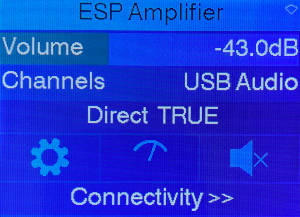
Rendering using themes - properties, grids and icons
Most display plugins can be customized using TcThemeBuilder, a utility class that allows you to simply configure fonts, colors, spacing, grids and icons. To the left you can see cool-blue theme with a multi-column grid layout. Grids allow for multi-column menus by breaking rows up into multiple columns. You can configure graphical settings at the default level, or even override settings...
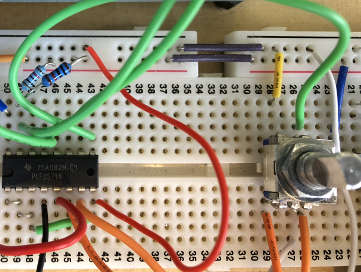
Setting up IO-expanders in the menu designer
Setting up IO devices has been made much easier as of V2.2 of the designer software. you can now directly edit the IO expander configurations directly within tcMenu. When we discuss IO devices we are talking about objects that refer to either device pins, or any other device such as I2C expanders or shift registers from the IoAbstraction library ....
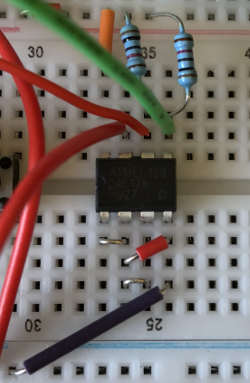
Integrating EEPROM support into menu applications
Menu Manager makes it easy to load from and save values to EEPROM between runs. Each menu item can optionally have a storage point in the EEPROM area (-1 / 0xffff means not stored). Any items that have a valid EEPROM address will be persisted upon calling the function on menuMgr, and similarly, will be read back by calling ....
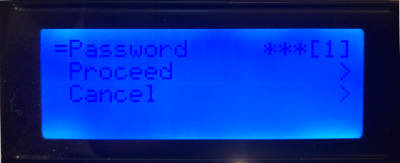
Securing sub-menus and remote connections with an Authenticator
You can secure both sub-menu items and remote connections using an . In summary, when an is present on any attempt to show a secure sub menu will result in a dialog asking for the pin; only proceeding to display the sub menu if the pin matches the on in . In addition, all remote/IoT connections will only be...
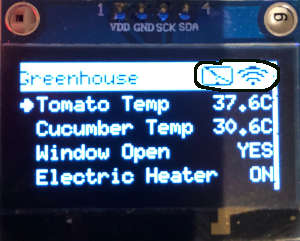
Taking over the display from a renderer
TcMenu allows you to take over the display from the renderer very easily, and once you own the display, you will be called back at regular intervals by the rendering class. During the time that you've taken over the display or presented a dashboard, you're responsible for the user input and rendering. Please note that you should never update the screen...
These may be of interest
- Similar - Write XML with GroovyBuilder
- Similar - Wrapping JFreeChart as a Groovy builder
- Similar - Reading XML in groovy using XmlParser
- Similar - Generate an ATOM feed with GroovyBuilder
- Similar - Groovychart Bar chart with fixed colour

Supporting us
We maintain several popular embedded projects and work hard to make them even better. If you're looking for commercial services, please do consider us.
Alternatively, you can buy us a coffee to say thanks.
Sharing links
Learn about TcMenu
We build and maintain an embedded menu designer and framework that works on many platforms.