TheCodersCorner.com items tagged with digital-io.
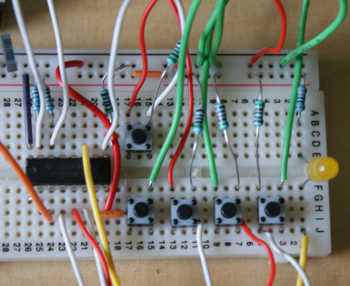
IO abstraction: the same code for pins, shift registers and i2c IO
When writing Arduino code that needs quite a few IO pins, you may need to expand the IO using a shift register or i2c expansion device such as the PCF8574. Up until now that meant significantly changing your code to use the new device. If you were using the IOAbstraction library , then you'd just set up a different type of...
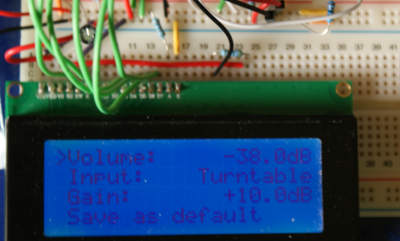
Designing a simple PGA2310 based preamplifier with network control
At the moment I am prototyping a high quality pre-amplifier based around the PGA2310 volume control and an op-amp buffer input with RF filtering. Each channel will be selectable by relay, along with gain adjustment for each channel in terms of increase in dB. Each channel will be assigned a name that can be changed easily in software and stored along...
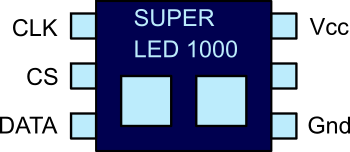
SPI Serial Peripheral interface for Arduino tutorial
In this tutorial, I present a fictional SPI chip that we will use for the sake of example. This chip has two LED's and controls them over SPI. It will help us to understand SPI with a real worked example. Following on we will build a real world circuit, using the SPI library, to see how easy it is to use...

Arduino to PC communication using USB serial and Java
In this article, I present an example showing how to connect an Arduino device to your PC using USB serial and Java. USB serial is available on nearly all Arduino based boards. Further, there are serial interface Java libraries that can connect to an Arduino. If you are unfamiliar with data communications in general, take a look a the introduction to...

Arduino Game library for 20x4 display
Here we discuss a game library that provides an easy way to write games with 20x4 parallel display and a few micro-switches. There is quite a lot of stuff going on in this library, so I'd like to start slow and build up. First, let's start by taking a look at the parts needed to use this library: 20x4 display (other...
Low power Arduino menu using tcmenu library
In this article we'll discuss building a low power Arduino menu using tcMenu library. We will use a TFT screen and a rotary encoder connected to a PCF8574 device. The device will be SAMD MKR board. I've picked this choice purposely, because it's non-trivial, and requires a lot of digging to make sure power usage is a low as possible. Running...

Working with and de-bouncing switches for Arduino
When we press a button that's connected to an Arduino input, it is likely that the button will momentarily "flicker" between the on and off state. This gives false readings for a short period of time after the button is pressed. Problems caused by this can range from the mild annoyance of a slight flicker, to doing something more than once...

Buffering an arduino output pin for more power
There are some occasions when the amount you safely draw (assume 20mA) from an Arduino board pin is just not enough (and some Arduino boards have even lower current capability). In these cases the output needs to be buffered in order to provide more power. At this point there are several possibilities, including ready made buffer chips such as the ULN2003A....
These may be of interest
- Similar - Belt clamps - what a find!
- Similar - Hand-built router table for the workshop
- Similar - Things learnt from building the first turntable.
- Similar - HI-FI Collective cable kit 6
- Similar - Orbit, a high performance DIY turntable.

Supporting us
We maintain several popular embedded projects and work hard to make them even better. If you're looking for commercial services, please do consider us.
Alternatively, you can buy us a coffee to say thanks.
Sharing links
Learn about TcMenu
We build and maintain an embedded menu designer and framework that works on many platforms.