TheCodersCorner.com items tagged with arduino.

Arduino Game library for 20x4 display
Here we discuss a game library that provides an easy way to write games with 20x4 parallel display and a few micro-switches. There is quite a lot of stuff going on in this library, so I'd like to start slow and build up. First, let's start by taking a look at the parts needed to use this library: 20x4 display (other...
Low power Arduino menu using tcmenu library
In this article we'll discuss building a low power Arduino menu using tcMenu library. We will use a TFT screen and a rotary encoder connected to a PCF8574 device. The device will be SAMD MKR board. I've picked this choice purposely, because it's non-trivial, and requires a lot of digging to make sure power usage is a low as possible. Running...

Working with and de-bouncing switches for Arduino
When we press a button that's connected to an Arduino input, it is likely that the button will momentarily "flicker" between the on and off state. This gives false readings for a short period of time after the button is pressed. Problems caused by this can range from the mild annoyance of a slight flicker, to doing something more than once...
Checking if 7segment display is common anode or cathode
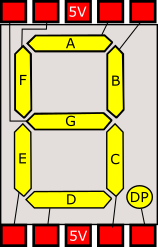
If you've got a 7 segment display but are not sure if it is common anode or common cathode, then you need to check the polarity of the display. This is easily done with a low voltage supply (9V or less) from a battery, bench PSU or Arduino board. Firstly and before anything else, connect a 1K resistor between the common...

Arduino multiple digit, 7 segment display tutorial
On the previous page covering single digit displays , we dealt with driving one 7-segment digit. On this page we'll use a multi-digit display and assume 4 digits. Just like single devices, multi-digit 7-segment displays have connections for A-G, DP and common, but they have a common pin for each digit, with one set of A-G and DP pins that are shared....
Arduino single 7 segment analog measurement example
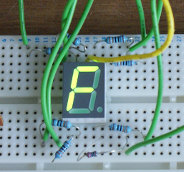
Measuring voltage from an analog input. Following on from the previous example ( example for driving 7 segment LED displays ). we now build on the same circuit to make a simple voltage meter. Additional requirements: Potentiometer of at least 10Kohms . In order to measure voltage, we need to use an Arduino board analog input. Usually these are marked...

Buffering an arduino output pin for more power
There are some occasions when the amount you safely draw (assume 20mA) from an Arduino board pin is just not enough (and some Arduino boards have even lower current capability). In these cases the output needs to be buffered in order to provide more power. At this point there are several possibilities, including ready made buffer chips such as the ULN2003A....

Building a holder for my Arduino board
After almost shorting out my Arduino with a piece of wire that was left under the circuit board, I decided it was time to mount it onto a proper support board along with the breadboard I often use with it. Okay I could go out and buy one, but I had a nice piece of high grade birch plywood in the...

Basic current sensing on Arduino
I've got a side project of building a digitally Arduino controlled PSU that also includes an accurate component tester. In order to do this I'll have to be able to monitor the current flowing through a circuit, so I'd need some way of monitoring this. Before continuing, I'd like to say that is not an exemplar of how to build a...
Arduino 7 segment LED display tutorial
In this tutorial I show you how to connect a 7 segment display to an Arduino board. For a tutorial showing how to drive 4 or 8 digit displays see ( Arduino multiple digit, 7 segment display tutorial ). Firstly, we must know what type of display we have as there are two possible forms, common cathode and common anode. If the...
These may be of interest
- Similar - Write XML with GroovyBuilder
- Similar - Wrapping JFreeChart as a Groovy builder
- Similar - Reading XML in groovy using XmlParser
- Similar - Generate an ATOM feed with GroovyBuilder
- Similar - Groovychart Bar chart with fixed colour

Supporting us
We maintain several popular embedded projects and work hard to make them even better. If you're looking for commercial services, please do consider us.
Alternatively, you can buy us a coffee to say thanks.
Sharing links
Learn about TcMenu
Learn about our rapid development framework TcMenu.