TCMenu Designer Turbo: A New Era for Arduino Embedded Menu Design
the designer is now freely available on the web TcMenu Designer Turbo is now available on the web. No need to download a desktop app, simply visit the above URL in your browser. You can also go through the getting started and examples page . This is a clean break from the desktop version, offering a more streamlined and accessible...

Building low latency Java applications with Java 22 and beyond
This article discusses my opinions around moderate latency and low latency applications built on the JVM using JDK 22 and greater. It is based on many years of trying various approaches. For years the regular way to build exceptionally low latency (or more correctly low GC pause) applications was to avoid memory allocations in the critical parts of the application, and...
Does the native linker change the status-quo for JVM low latency?
This article discusses if the Java 22 foreign memory API and value classes change my view of the status quo for building applications that communicate with C++ components and the possible latencies in that approach. In the past, with JNI as the C++ go between, there were enough disadvantages that sufficiently down voted this option to the basement. Let's investigate a...
New Year 2022 and an update is overdue
It's been a bit too long between updates, and this is a major update. There are changes ahead for tcMenu, IoAbstraction and TaskManagerIO as I had to make a choice on how much I can do, going forward and for the foreseeable future it is back to my hobby, and the company behind it is closed. I am very happily working...
tcMenu designer 2.2 with improved IoT support and more automated tested
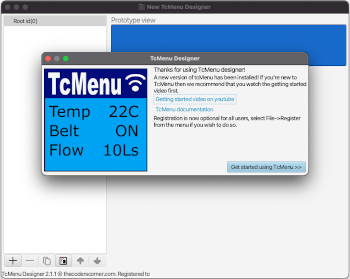
It has been quite a bit more than a week since the last update, but a lot has happened in that time! First, we released version 2.1.3 of the library, and switched the designer to use the 2.1 plugins by default. That means that we've opened up themes for everyone to use. We've also made it really easy to rollback too....
tcMenu - menu designer 2.1 has been released
We have now released version 2.1 of the menu design software TcMenuDesigner. For all users it is now downloaded from GitHub instead of acquiring from the App Store. We notarize for Mac, package for Linux, and have an extended validation certificate for Windows deployments. So it should be quite easy to install for most. We initially thought getting it in the...
TaskManagerIO and asynchronous I2C in IoAbstraction
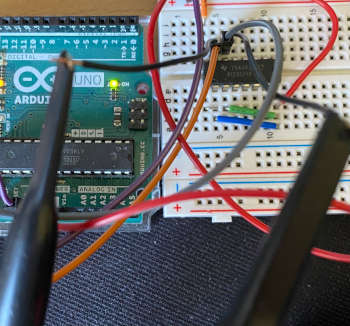
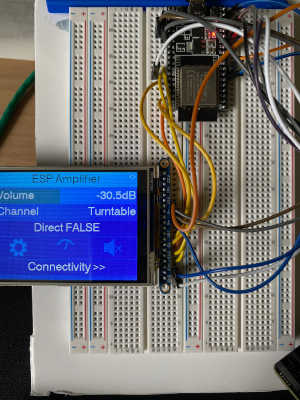
In the image to the left, you see me debugging hardware I2C (or TWI) from AVR to a PCF8574. This past week and a bit I realised something, there's a couple of missing pieces in the core libraries that are really needed to tidy up the last messy pieces in IoAbstraction. Once we move beyond TcMenu 2.0, we expect that it...
TaskManagerIO update, tcMenu 2.0 testing, mbed improvements
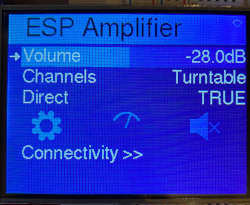
As promised last week, here's an inflight update for this week. It's been a busy week as we get further along in the preparations for tcMenu 2.0, and try to bring mbed further into the fold. First of the bat this week was to fix the last of the bugs we knew about in tcMenu 2.0 development branch, so as far...
TcMenu 2.0 - a very complete menu framework / library
I'm going to start writing more frequently about our goals, and the plan is to do it here and share these updates on Facebook and Twitter, to avoid me having to write the core of the article twice. This time around I'm going to cover tcMenu 2.0, where it is, and what's next. TcMenu 2.0 BETA designer UIs and Libraries are...
SPI Serial Peripheral interface for Arduino tutorial
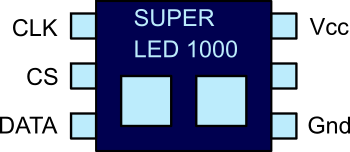
In this tutorial, I present a fictional SPI chip that we will use for the sake of example. This chip has two LED's and controls them over SPI. It will help us to understand SPI with a real worked example. Following on we will build a real world circuit, using the SPI library, to see how easy it is to use...
These may be of interest
- Similar - Write XML with GroovyBuilder
- Similar - Wrapping JFreeChart as a Groovy builder
- Similar - Reading XML in groovy using XmlParser
- Similar - Generate an ATOM feed with GroovyBuilder
- Similar - Groovychart Bar chart with fixed colour

Supporting us
We maintain several popular embedded projects and work hard to make them even better. If you're looking for commercial services, please do consider us.
Alternatively, you can buy us a coffee to say thanks.
Sharing links
Learn about TcMenu
We build and maintain an embedded menu designer and framework that works on many platforms.